Tuesday, December 4, 2012

Plagiarism-Wordle Activity


For the second year I introduced the idea of plagiarism to 4th and 5th grade students by reading the book, When Marion Copied: A Book About Plagiarism by Brook Berg. After reading the book I explained that I wanted them to practice a strategy mentioned in the book.  I asked them to summarize the book using only 5 words.  They write them on an index card (or scratch paper) along with their name.  I later type in each word they write into Wordle (www.wordle.net).  I also type in the title, When Marion Copied several times so that it also appears. If you have never used Wordle, check it out.  It is an interesting way to look at text and play with words.  The more often a word appears in a text the larger it appears in Wordle or word cloud (that's why I type in the title, so that it appears (large) in the Wordle).

Here is one wordle I created using the 5 summary words written by students.
You can see the above Wordle by using this link: http://www.wordle.net/show/wrdl/6087046/When_Marion_Copied


Thursday, November 29, 2012

"We Give Books" Website

I came across the website, "We Give Books", www.wegivebooks.org the other day and it is a wonderful thing!  It almost seems to good to be true.  You can join (it's free) and you can read digital books.  Once you complete reading the book they donate a book (a real, paper one) to a child.  Incredible!  It's the philanthropic arm of Pearson Publishing, and according to their website: We are dedicated to delivering award-winning books empowering you to read and share beautiful stories with children in your life...The We Give Books team works upfront with each non-profit literacy partner to identify the kinds of children's books that best fit their program needs. Some of the same great books you can read online will be donated to our charity partners through your reading efforts. We also donate others they request specifically for the young people they serve. 

Check it out!

Monday, November 5, 2012

Website Evaluation Instruction

     Every year I teach students to evaluate websites so that they will become better internet users.  I watched a news story in September on ABC News about a man who set up 2 fake websites to cash in on the political conventions and collected thousands of dollars.  And I thought, hurray!  This would be a perfect, real-life example of how you need to evaluate information on websites.
   
     Part one of the lesson we cover the parts of a website (header, body, footer), where to look for the name of the organization, authority, currency, contact information, etc.  I use several local organizations' websites for this part (Chehaw, Flint Riverquarium, Albany Museum of Art, City of Albany, Dougherty County Public Library) and students locate the aforementioned information.  Then we discuss what we found.

     This year I started part two of the lesson by going to this website,  http://www.breitbart.com/Big-Government/2012/09/21/ABC-News-Fake-RNC-And-DNC-Websites-Highlight-Internet-Campaign-Donation-Fraud   which covered the ABC news story and had links to the 2 fake websites (one for the Republican National Convention and the fake Democratic one).  We looked at both of the fake websites and looked in vain for a physical address, phone number or any names.  Then we went to the GOP website and located immediately the full contact information.

     The meat of this second part of the lesson is to compare two websites about endangered species.  I tell the students that I googled the key words "endangered species" and chose two of the listed results.  We then  compare them (I've had students work in pairs and done it as a group with the pairs sharing laptops and I think I prefer the group model).  One was created by 5th grade students http://www2.lhric.org/pocantico/5thgrade99/animals.htm and the other is Sea World's InfoBook Index website http://www.seaworld.org/animal-info/info-books/endangered/index.htm .

     One of the fifth grade teachers mentioned the commercial he had seen lately about not believing everything you see on the internet.   I remembered the commercial and wished I had gotten a link to the commercial.  Another teacher said it probably was on You Tube and it was and here is the link: http://www.youtube.com/watch?v=rmx4twCK3_I .  I definitely will use it to introduce the idea next time I teach the lesson!

      Here's a cartoon from Fitz & Pirillo (I tried to find their website and couldn't, so I copied the image from another website (www.blaugh.com).  It would be a good one to show to students (it covers 2 concepts...plagiarism and internet reliability).


Opinion Writing Lesson

     One of our fourth grade teachers asked me to help the students with writing an opinion essay.  The CCGPS states - ELACC4W1: Write opinion pieces on topics or texts, supporting a point of view with reasons and the students are to refer back to the text.  She said they were having difficulty with this task.  I found a website that had a good handout/structure, "Write An Opinion Essay" http://teacher.scholastic.com/scholasticnews/magazines/scope/pdfs/SCOPE-011011-REPRO-19.pdf
I liked the format, which I used loosely!

    The problem was coming up with something we could read fairly quickly that would provide us with something to have an opinion on!  I came up with several subjects (texting and driving, political candidates, European exploration in the new world, Japanese internment camps in WWII, etc).  Finally...a eureka moment!  Pick out a short book to read and one just jumped into my mind (having used it before), Why War Is Never a Good Idea by Alice Walker.
I read the book to the class and created a t-chart (on a large dry erase board) and told them that they would agree or disagree with the statement. Then they gave me specific reasons if they agreed with the idea (that war is never a good idea) that referred back to the text.  Some of the students disagreed and gave me good reasons which I also recorded.


Saturday, October 20, 2012

Getting Creative

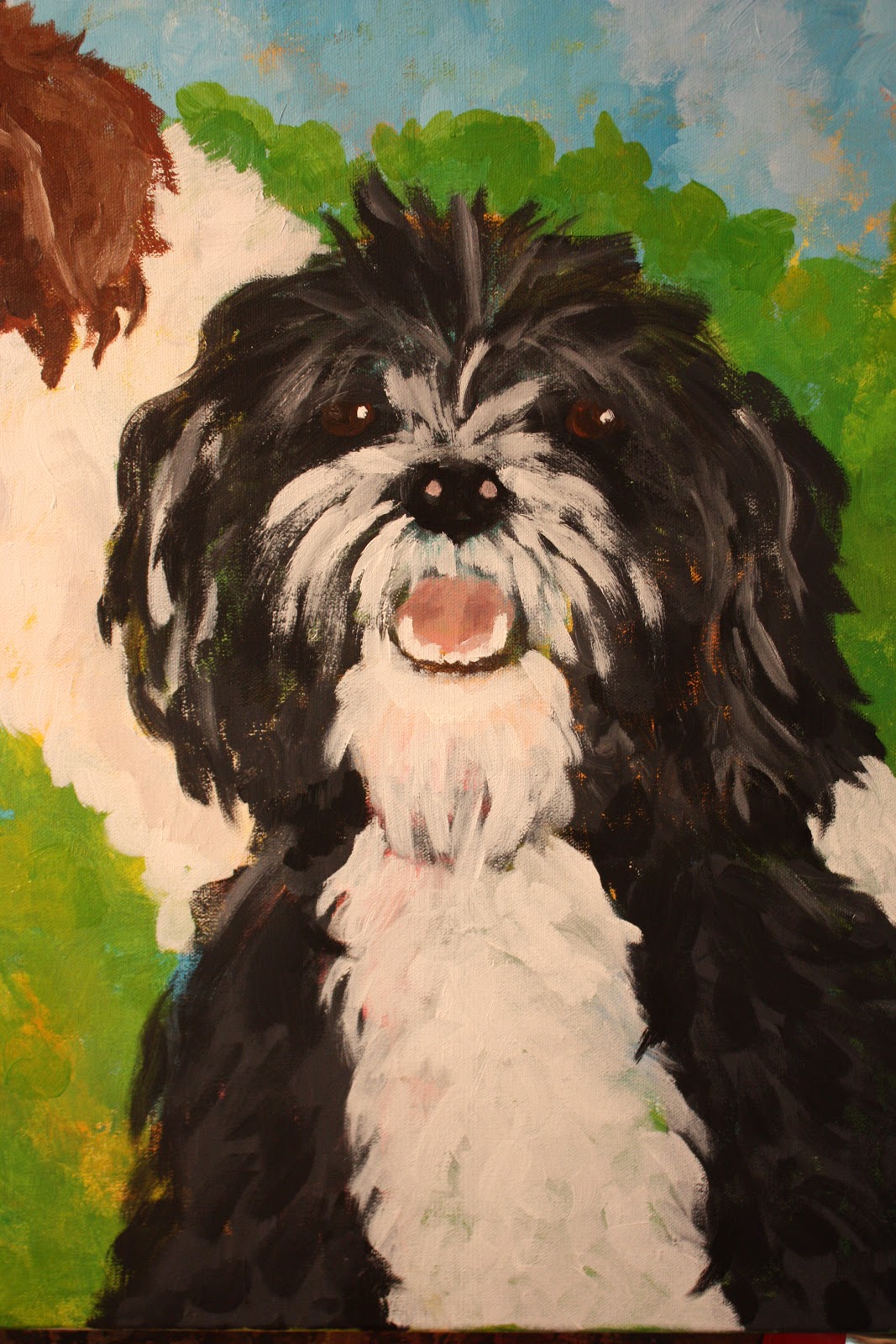
When my son moved into his new apartment in early August, his bedroom walls were bare (rather depressing!), so I decided to do a painting of our pets for him.  I have been wanting to paint something for awhile, but have always put it off as I knew it would be very time consuming.  But this inspiration was the nudge I needed.  I wanted the painting to be bright and cheerful and capture the personality of our pets.


Wednesday, October 10, 2012

Collaborating with 2nd Grade...Incorporating Technology

I met with the 2nd grade teachers a couple of weeks ago and asked how I could assist them in any way.  We discussed different ways to incorporate technology, but the ELA CCGPS lesson plans just kept suggesting having the students do a PowerPoint.  I suggested other formats to try out Animoto, Prezi, Windows Movie Maker and after hashing around ideas we decided to use WMM as the way for the students to present their writing on the moon.  The students had worked in groups to write a story with one student writing the beginning, another one (or two) creating the middle, and one student doing the conclusion.  Each student also did an illustration for their part of the story.
I had the students take a photograph of their drawing.  Then each student recorded their portion of the story.  I used a headset microphone and used the Sound Recorder available on my laptop. You should have seen their faces as I played back their recording!  Each time it was priceless...their faces just lit up when they heard their voices and then each one would start giggling.  We also had each group record the title slide.  

I tried to download the videos, but it wouldn't work so here is the link to our school's website where Miss Davis posted the videos.http://www.docoschools.org/isecs/second_grade/Miss%20Davis/missdavis.html.

Monday, September 24, 2012

Comic Strip Creator

I just read about a website that lets you create your own comic strip and have shared it with my teachers. The website is www.makebeliefscomix.com

I created one and here is the link: http://www.makebeliefscomix.com/Comix/?comix_id=4500790C791517

It doesn't look like you can download it, but you can print it out.  I printed this one out, scanned as JPEG (then cropped the image) so I could add it to the blog.  Lots of fun!!